
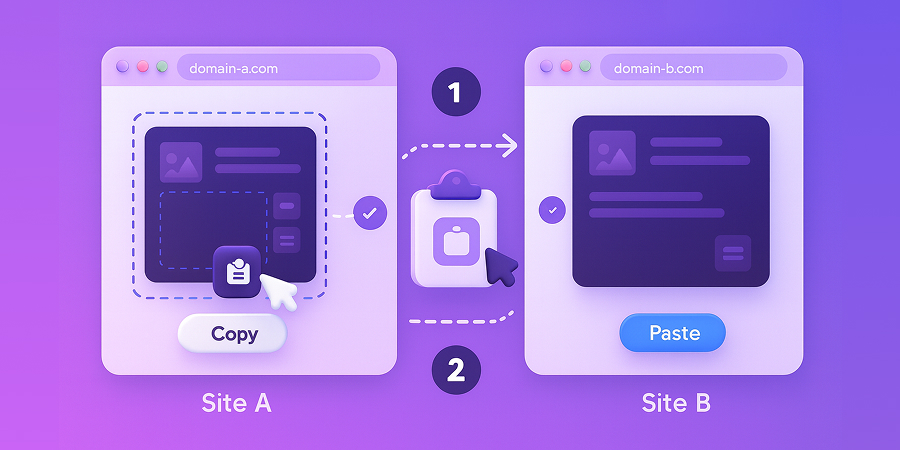
🌐 Transfer Content Across Different WordPress Sites
Copy & Paste Elementor Content Across Domains
Break free from single-site limitations. Copy any Elementor section, column, or widget from one WordPress site and paste it into any other site. Perfect for agencies, developers, and multi-site managers.
Why Cross Domain Copy Paste?
The ultimate tool for agencies, developers, and anyone managing multiple WordPress sites.
Cross-Domain Transfer
Copy content from any WordPress site and paste it into another—even across different domains and servers.
Perfect for Agencies
Reuse proven designs across client sites. Build a library of templates and deploy them anywhere in seconds.
Lightning Fast Migration
Migrate complex Elementor layouts between staging and production, or between old and new sites instantly.
Complete Design Preservation
All styles, settings, custom CSS, and widget configurations transfer perfectly. No manual reconstruction needed.
Workflow Efficiency
Eliminate repetitive design work. Copy your best sections once and reuse them across unlimited projects.
No Export/Import Hassle
Skip the tedious export-download-upload-import process. Transfer content with simple right-click copy and paste.
Transfer Content in 4 Steps
Copy from one site, paste to another. It's that simple.
Enable on Both Sites
Activate the Cross Domain Copy Paste module on both your source and destination WordPress sites.
Right-Click & HT Copy
In Elementor on Site A, right-click any section, column, or widget and select "HT Copy" from the menu.
Switch to Site B
Open Elementor on your destination site in any browser tab—even a different domain or server.
Right-Click & HT Paste
Right-click where you want the content and select "HT Paste". Your content appears instantly!
The Power of Cross-Domain Transfer
Real impact for agencies and developers.
∞
Unlimited Sites Supported
Faster Than Export/Import
Design Fidelity Preserved
Content Transfer Process
Who Benefits Most?
Scenarios where cross-domain copying saves hours of work.
Agency Workflows
Build a master template site, then copy proven sections to every client project without rebuilding.
Staging to Production
Design on staging, then copy finalized sections to the live site without full site migrations.
Multisite Networks
Share layouts across a WordPress multisite network. Copy from the main site to subsites instantly.
Template Libraries
Maintain a personal template site with top designs, then copy elements to projects as needed.
Site Migrations
Migrate specific sections when moving to a new domain without transferring entire databases.
Team Collaboration
Design on a development site, then share specific sections with team members working on other sites.
Old Way vs New Way
See how Cross Domain Copy Paste revolutionizes multi-site workflows.
Traditional Export/Import
- Export templates to files
- Download JSON files locally
- Upload files to new site
- Import and hope it works
- Fix broken settings manually
- Takes 10-15 minutes per transfer
Instant Cross-Site Transfer
- Right-click and "HT Copy"
- Switch to destination site
- Right-click and "HT Paste"
- Content appears instantly
- All settings preserved perfectly
- Takes 10-15 seconds per transfer
Frequently Asked Questions
Does it work across different domains?
Yes! That's the whole point. Copy from example.com and paste to anydomain.com—even if they're on different servers.
Do both sites need HT Mega?
Yes, both the source and destination sites must have HT Mega installed with Cross Domain Copy Paste enabled.
Does it work with third-party widgets?
Yes, as long as the same widgets/plugins are installed on both sites, all content transfers perfectly.
Are images transferred too?
Images are only transferred if the source site is live and accessible. Otherwise, you’ll need to upload them to the destination site manually.
Is there a limit on transfers?
No limits! Copy and paste as many elements as you need across unlimited WordPress sites.
What content can I copy?
Any Elementor element: entire sections, individual columns, single widgets, and even nested containers.
Ready to Work Across Multiple Sites?
Stop wasting time with exports and imports. Start copying content across domains instantly.
