


When designing your Elementor website, adding drop caps can be an effective way to enhance the visual appeal and readability of your content. Luckily, there are fantastic options available to achieve this stylish effect with ease. Here’s an insightful overview of their features and benefits, enabling you to select the one that suits your website best.
So let’s dive into these dynamic addons, and add a touch of sophistication to your Elementor site.
What is a Drop Cap
Drop caps are visual representations of an opening sentence that draw readers into the text with a powerful, eye-catching beginning. They are typically deployed at the start of paragraphs and essays, serving as an introduction to the subject matter while providing readability through an enhanced and artful use of typography.

With the advent of digital writing, the drop cap has made a seamless transition into the world of blogging, thanks to nifty tools like the Drop Cap Widget. By offering an array of designs and styles to choose from, bloggers can now effortlessly enhance their online content, ensuring it captures the attention of readers and sets it apart from countless other articles that crowd the digital landscape.
Benefits of Elementor Drop Cap Addons
The world of web design has been taken by storm with the introduction of Elementor Drop Cap Addons, a user-friendly and innovative feature that revolutionizes how we approach typography on webpages. Here are some benefits of using Elementor drop cap add-ons:
Visual Appeal: Drop caps add-ons can enhance the visual attractiveness and eye-catchingness of your content, which can boost user engagement and make your website stand out from the competition.
Improved Readability: By directing the reader’s attention to the beginning of the paragraph, a drop cap can serve to break up the content and enhance readability. Users’ ability to read your information will likely be made easier as a result, which will enhance their visit to your website as a whole.
Customization Options: Font size, color, style, and other customization choices are available for Elementor drop cap add-ons. This enables you to produce a distinctive and visually appealing design that complements the brand and aesthetic of your website.
Simple to Use: Even if you don’t have any coding knowledge, Elementor drop cap add-ons are simple to use. The add-on can be easily customized by dragging and dropping it into your Elementor page builder.
Overview of the 4 Best Elementor Drop Cap Addons
HT Mega
By offering a captivating collection of five striking styles, this innovative widget invites you to experiment with various artistic fonts that reflect your website’s identity and pique the interest of your audience. They look fantastic in any design scheme and allow you to add an extra touch of elegance to your page. Setting them up couldn’t be easier – simply select the style that best suits your page, and you’re done!

Whether it’s a more traditional look or an ornate style, this widget makes it easy to add drop cap exactly how you envision it. Get creative and see what kind of unique flair you can add to your web content today with the HT Mega Drop Cap Widget!
Highlighted Features:
- 5 Styles
- Animation effects
- Customizable
- Responsive
- Easy to use
Pricing: There are 2 different pricing One Year plans for HT Mega:
Yearly Plans:
- Personal Plan: $29/ Year
- Developer Plan: $79/ Year
- Growth Plan: $99/ Year
One-Time Plans:
- Personal Plan: $99 (One Time Fee)
- Developer Plan: $149 (One Time Fee)
- Growth Plan: $159 (One Time Fee)
Move Addons
With the Move addon Drop Caps widget, you can easily create a bold image to draw attention to your text, while also customizing attributes such as font, color, size, border and more.

Whether you use one big letter or several smaller ones grouped together to showcase a word, using the Move addon Drop Cap widget will transform your work into something eye-catching that readers won’t be able to look away from. So if you want to make an impression on readers with beautiful drop caps, then this is definitely the tool for you!
Highlighted Features:
- 6 Styles
- Highly Customizable
- Cross Browser Compatible
- Responsive
- Easy to use
Pricing: There are 2 different pricing Year Bundle plans for Move Addons:
Yearly Bundle plan:
- Personal Plan: $39/ Year
- Developer Plan: $89/ Year
- Agency Plan: $179/ Year
Lifetime Bundle plan:
- Personal Plan: $149/ Lifetime
- Developer Plan: $349/ Lifetime
- Agency Plan: $549/ Lifetime
ElementsKit
ElementsKit is an incredible Elementor page builder WordPress plugin that is perfect for anyone seeking a fresh, stylish, and striking appearance for their website. One of its most useful features, the Drop Caps Widget, allows users to customize the appearance of the first letter in any given sentence or phrase to stand out from the rest.
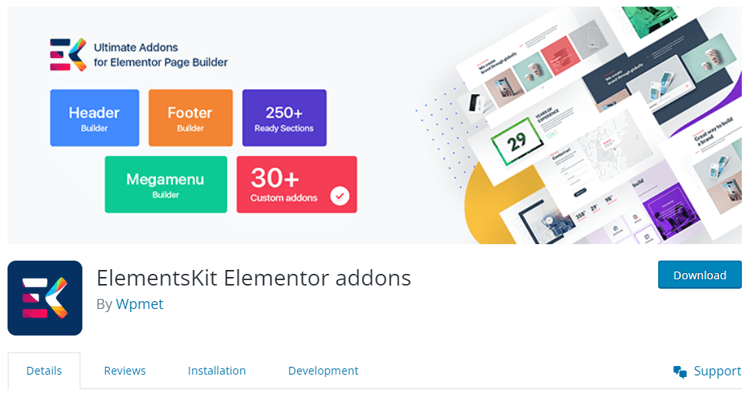
Consider making it large, capitalized, and in vibrant colors – all of which can be infinitely customized with ease from within this widget. Additionally, you can also modify borders and radius levels for even more personalization options. Unlock the creative potential of your webpages today with ElementsKit!
Highlighted Features:
- Modern looking
- Responsive
- Easy to use
- Customization Option
Pricing: There are 3 different pricing plans yearly for ElementsKit:
- Personal Plan: $42 Year
- Professional Plan: $90/ Year
- Agency Plan: $175/ Year
- All-in-One Bundle Yearly Plan: $499/
👉 Check 6 Best WordPress Elementor Accordion Plugins
Ultimate Bootstrap Elements for Elementor
Elevate the visual impact of your text editor with the Ultimate Bootstrap Elements for Elementor Drop Cap widget. This page builder add-on allows you to display the first letter in your font content with a bold, large, and capitalized style.

Beyond just adjusting the color, content, and border radius among other settings, you can use this widget to add flair or importance to specific parts of your website or blog post. Let your words stand out by using the unique customization options available through Ultimate Bootstrap Elements for Elementor today!
Highlighted Features:
- 5 Different Styles
- Responsive
- Easy to customize
- User-friendly
Pricing: Free
👉View 5 Best Elementor Image Zoom Widgets
Frequently Asked Questions about Elementor Drop Cap Addons
How do I drop a cap in Elementor?
To add a drop cap in Elementor, insert the Text Editor widget, enter your text, and enable the Drop Cap option under the Content tab. Then customize its font, color, size, and style from the Style tab.
What is a drop cap effect?
A drop cap effect enlarges the first letter of a paragraph, making it stand out from the surrounding text. It’s commonly used in blogs, magazines, and editorial websites to create visual interest.
What is the difference between drop cap and margin cap?
A drop cap extends downward across multiple lines of text, while a margin cap sits in the left margin without taking up space within the paragraph. Both styles highlight the opening letter.
Do I need an Elementor addon to add a drop cap in WordPress?
No, Elementor’s built-in Text Editor widget supports drop caps without additional plugins. However, dedicated Elementor drop cap addons offer more design variations and customization options.
Can I customize the font, color, size, and style of an Elementor drop cap?
Yes, Elementor lets you customize drop cap typography, color, spacing, and appearance. You can choose Default, Stacked, or Framed styles, while third-party addons may offer additional styling options.
Do Elementor drop cap addons slow down a WordPress website?
Drop cap addons may affect website performance depending on their scripts, styles, and overall plugin size. Choose a well-optimized addon, enable only necessary features, and test your site’s loading speed.
Final Thoughts
Drop caps are a great way to draw attention to the beginning of your text and add a more professional look to your website. WordPress Elementor drop cap add-ons make it easy to customize and add this feature without sacrificing page speed, time, or money.
There are many styles, colors, and fonts to choose from depending on the desired theme of your site, and all features can be easily modified with a click of a few buttons.