

Quick answer: An Elementor Contact Form 7 addon gives you visual controls to style a CF7 form without writing CSS. Pick HT Mega if you want CF7 styling plus a larger Elementor widget set. Pick Essential Addons or Ultimate Addons if you already run one of them. Pick Unlimited Elements, Move Addons or HT Plugins if you want a free CF7 widget.
Contact Form 7 is hard to beat for simple forms. The WordPress.org plugin directory lists it with 10+ million active installations (checked October 14, 2026). The catch is design. CF7 ships with plain styling, so most people either write CSS or add a styler.
This guide compares six Elementor addons that include a Contact Form 7 widget. It tells you who each one fits, what it costs, and what to watch for.
Transparency note: This article is published on the HT Mega blog, so HT Mega is one of the six. We kept the same format for every addon and marked anything we couldn’t confirm.
Quick Comparison Table
| Addon | Best for | CF7 widget free? | What’s documented | Pro price (checked Oct 14, 2026) |
|---|---|---|---|---|
| HT Mega | CF7 styling plus a broad widget set | Yes | 6 form styles; styling for wrapper, inputs, textarea, labels, button, error messages | From $29/year (promo; regular $69) |
| Move Addons | Quick styling with presets | Yes | 6 predefined styles | Check official page |
| HT Plugins | A simple, free CF7 widget | Yes | Drag and drop; optional custom styling | Free |
| Ultimate Addons | Astra and Brainstorm Force users | Check your plan | Field size, borders, colors, padding, radio/checkbox and message styling | From $69/year (promo pricing varies) |
| Essential Addons | Existing Essential Addons users | Yes (confirm in your install) | Container and field styling | From $3.99/month, billed annually (promo) |
| Unlimited Elements | Detailed visual customization | Yes | Styling for textarea, placeholder, date, radio, checkbox, dropdown | Check official page |
Prices change often and many vendors run promotions. Treat this table as a snapshot and confirm on each pricing page before you buy.
How We Compared These Addons
We compared each addon using public documentation, plugin directory listings and official pricing pages. We did not run hands-on tests for this update.
We looked at:
- Contact Form 7 integration and what the widget lets you style
- Free vs Pro availability
- Ease of use inside the Elementor editor
- Current starting price
- Value if you only need CF7 styling
We left out features that belong to the wider addon, not to the CF7 widget. That keeps the comparison fair.
Do You Need a Contact Form 7 Addon With Elementor?
You need one only if you want to design a CF7 form visually.
- You already use CF7 and want to keep your forms. An addon is the fastest path. You don’t rebuild anything.
- You are happy writing CSS. You can style CF7 by hand. An addon saves time but isn’t required.
- You are starting a new site. Compare CF7 with Elementor’s own Form widget, which is part of Elementor Pro. Pro gives you a native form builder. CF7 gives you a free plugin with a large ecosystem.
If you are moving away from CF7 to another form plugin, see our guide to the best Elementor Gravity Forms widgets.
Top 6 Elementor Contact Form 7 Addons
Here’s an overview of the top 6 Elementor Addons for Contact Form 7:
HT Mega
Best for: Users who want CF7 styling and a wider Elementor widget collection in one plugin.
Free version: Yes. The widget is in the free plugin and you turn it on in HT Mega’s settings.
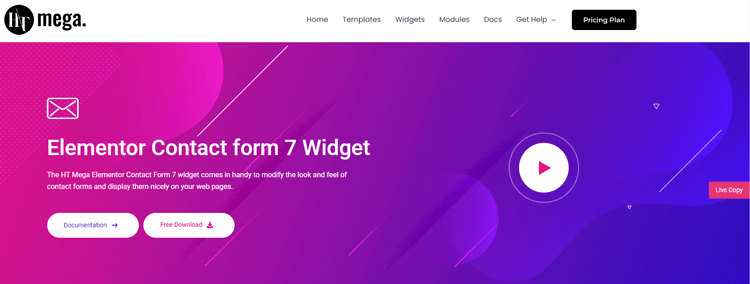
What the CF7 widget does: HT Mega’s documentation lists six form styles. You choose your CF7 form, then style the wrapper, input fields, textarea, labels, submit button, and error and feedback messages. HT Mega’s Pro plans add 145+ widgets and 850+ blocks, but those aren’t part of the CF7 widget.
Pros
- Six ready-made styles to start from
- Separate style controls for errors and feedback messages
- Works with the free version of Elementor
Consider
- If CF7 is your only need, a full addon package adds more than you need. The free version may be enough.
Pricing: There are 2 different pricing plans for HT Mega:
Yearly Plans:
- Personal Plan: $29/ Year
- Developer Plan: $79/ Year
- Growth Plan: $99/ Year
One-Time Plans:
- Personal Plan: $99 (One Time Fee)
- Developer Plan: $149 (One Time Fee)
- Growth Plan: $199 (One Time Fee)
Move Addons
Best for: People who want a quick, preset-based CF7 form.
Free version: Yes. The plugin is listed on WordPress.org.
What the CF7 widget does: The listing describes an Elementor widget with six predefined styles for displaying a form you built in Contact Form 7.
Pros

- Free to try from the WordPress.org directory
- Presets give you a fast start
Highlighted Features:
- 6 Styles
- Highly Customizable
- Cross Browser Compatible
- Responsive
- Easy to use
Consider
- The CF7 widget is one of many widgets, so you may install more than you need.
- Confirm current Pro pricing on the official site before you decide.
Pricing: There are 2 different pricing plans for Move Addons:
Yearly Bundle plan:
- Personal Plan: $39/ Year
- Developer Plan: $89/ Year
- Agency Plan: $179/ Year
Lifetime Bundle plan:
- Personal Plan: $149/ Lifetime
- Developer Plan: $349/ Lifetime
- Agency Plan: $549/ Lifetime
HT Plugins
If you’ve ever needed a contact form on your website, you know how important it is to have one that’s easy to use and customize. That’s where HT Plugins Contact Form 7 Widget comes in. With this Elementor addon, you can drag and drop contact forms wherever you need them on your website.
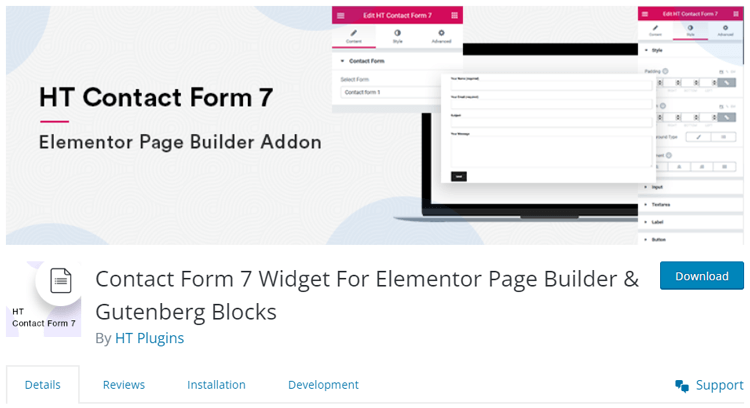
And if you want to give your form a little extra style, there are plenty of custom styling options to choose from. Say goodbye to clunky, hard-to-use contact forms – with HT Plugins Contact Form 7 Widget, it’s never been easier to get the form you need exactly where you need it.
Highlighted Features:
- Move the widget by dragging it.
- Optional Custom Styling.
- Display the contact form anywhere on your website.
Pricing: Free
👉 Check Top Elementor Lightbox Plugins for WordPress
Ultimate Addon
Best for: Sites already using Astra or other Brainstorm Force products.
Free version: Check your plan. Ultimate Addons is sold mainly as a Pro addon.

What the CF7 widget does: The official Contact Form 7 Styler page describes controls for input size, borders, colors and padding. It also covers radio buttons, checkboxes and form messages.
Pros
- Styling for every common field type
- Fits neatly into the Astra ecosystem
Consider
- Be careful with feature lists you may see elsewhere. Conditional fields, multi-step forms, range sliders and column layouts belong to separate CF7 extension plugins such as Ultra Addons for Contact Form 7. They aren’t part of the Ultimate Addons for Elementor styler.
Highlighted Features:
- Conditional Field
- Columns / Grid Layout
- Range Slider
- Multi-Step Form
- Placeholder Styling
Pricing: There are 2 different pricing plans for Ultimate Addons:
Annual Plan:
- Ultimate Addons Plan: $69/ Year
- Essential Bundle Plan: $199/ Year
- Growth Bundle Plan: $279/ Year
Lifetime Plan:
- Ultimate Addons Plan: $319 One-time
- Essential Bundle Plan: $549 One-time
- Growth Bundle Plan: $799 One-time
👉 Check Top 7 Elementor Image Gallery Plugins to Elevate Your Website
Essential Addons
Best for: People who already use Essential Addons and want one fewer plugin.
Free version: Yes. A Contact Form 7 element is documented for Essential Addons. Confirm it in your installed version.
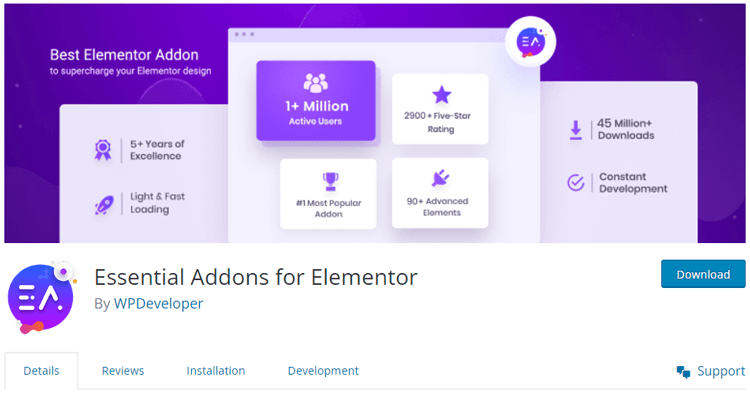
What the CF7 widget does: You pick a CF7 form inside Elementor and style the container and fields visually.
Pros
- Large widget library (120+ elements, per the vendor)
- Familiar interface if you already use it
Consider
- If you don’t use other Essential Addons widgets, a lighter option may fit better.
Highlighted Features:
- 7 styles
- Drag and drop
- Customizable
- Easy to use
Pricing (vendor’s autumn promotion):
- 1 site: $3.99/month, billed annually
- Unlimited sites: $7.49/month, billed annually
- Lifetime Unlimited: $209.99 one-time
Lifetime is a one-time payment, not a yearly price.
👉 Check The Top Elementor BuddyPress Plugins
Unlimited Elements
Best for: People who want detailed control over how each field type looks.
Free version: Yes. The widget is marked Free in the plugin listing. You install it from the Unlimited Elements widget library.
What the CF7 widget does: According to the vendor’s documentation, you can toggle styling for textarea, placeholder, date, radio button, checkbox and dropdown fields. You can also style the form container.
Pros
- Granular styling across many field types
- Free widget
Consider
- You add the widget from the library, which is one extra setup step.
- Confirm Pro plan prices on the official page.
Highlighted Features:
- 7 Styles
- Pixel perfect form
- Customizable
- Live page builder interface
Pricing:
There are 2 different pricing plans for Unlimited Elements:
Annual Plan
- Starter Plan: $49/ Yearly
- Professional Plan: $99/ Yearly
- Business Plan: $149/ Yearly
Lifetime Plan
- Starter Plan: $199/ Lifetime
- Professional Plan: $299/Lifetime
- Business Plan: $549/ Lifetime
Which Addon Should You Choose?
- Best all-around: HT Mega. You get a CF7 widget and a broad toolkit.
- Best free-only setup: HT Plugins, Unlimited Elements or Move Addons.
- Best if you already own it: Essential Addons or Ultimate Addons. Check the CF7 widget before you buy anything new.
- Best for detailed field styling: Unlimited Elements.
- Best for presets: HT Mega or Move Addons (six styles each).
Start with the free option. Upgrade only if you need something the free widget can’t do.
Example: Styling an Existing CF7 Form With HT Mega
Say you run a small service site with a plain CF7 enquiry form. You want it to match your brand. Here’s the workflow, based on HT Mega’s documentation:
- Make sure Contact Form 7 is installed and your form exists.
- Go to HTMega Addons > Settings > Third Party and turn on the Contact Form 7 widget.
- Open the page in Elementor and search “Contact form”. Use the widget with the HT badge.
- Choose one of the six styles and select your form.
- Style the wrapper, inputs, textarea, labels, button, and error messages.
- Preview on mobile and desktop, then publish.
How to Design a Better Contact Form 7 Form in Elementor
A good styler helps, but design choices drive results.
Keep the form short
Ask only for what you need. Every extra field gives people a reason to quit.
Use clear labels
Put a visible label on each field. Placeholders disappear when someone types, so don’t rely on them alone.
Group related fields
Keep name and email together. Keep message details in their own area.
Make errors helpful
Tell people what went wrong and how to fix it. Style error messages so they’re easy to see. See our guide to Elementor form validation.
Check it on mobile
Use large tap targets and enough spacing between fields.
Write a clear button label
“Send message” or “Get a quote” beats “Submit”. Make sure the button color contrasts with the page.
Test before you publish
Send a test entry. Confirm the email arrives and that errors and success messages look right.
Frequently Asked Questions
Can I use Contact Form 7 with Elementor?
Yes. Contact Form 7 works on Elementor pages through its shortcode or an addon widget. Elementor doesn’t include a native CF7 styler, so most people add an Elementor addon with a Contact Form 7 widget to select the form and style it visually.
Does Elementor work with Contact Form 7 without an addon?
Yes, but styling is limited. You can paste the CF7 shortcode into a Shortcode widget. The form will display, but you’ll need custom CSS to change its look. An addon replaces that CSS with visual controls.
What is the best Elementor addon for Contact Form 7?
It depends on your setup. HT Mega fits users who want CF7 styling plus a broader widget set. Essential Addons or Ultimate Addons fit existing users. Unlimited Elements, Move Addons and HT Plugins offer free CF7 widgets if you want to avoid paying.
Can I style Contact Form 7 without CSS?
Yes. Addons such as HT Mega, Unlimited Elements and Ultimate Addons give you controls for colors, borders, spacing, fields, buttons and messages inside the Elementor editor, so you don’t need to write CSS.
Are Elementor Contact Form 7 addons free?
Several are. HT Mega, Move Addons, HT Plugins and Unlimited Elements list free CF7 widgets, and Essential Addons documents one too. Pro plans mainly add other widgets and features. Check each vendor’s page, because plans change.
Which Contact Form 7 addon is best for beginners?
Start with a free widget that offers presets, such as HT Mega or Move Addons, each with six styles. Presets give you a good-looking form fast, and you can adjust colors and spacing afterward
Final Verdict
If you want one answer, HT Mega is the practical pick when you also want a broader Elementor toolkit. If you only need CF7 styling, start with a free widget. If you already use Essential Addons or Ultimate Addons, check its CF7 widget first.
Next step: Download HT Mega for free and enable the Contact Form 7 widget, or compare plans on the pricing page.