
Quick-Answer
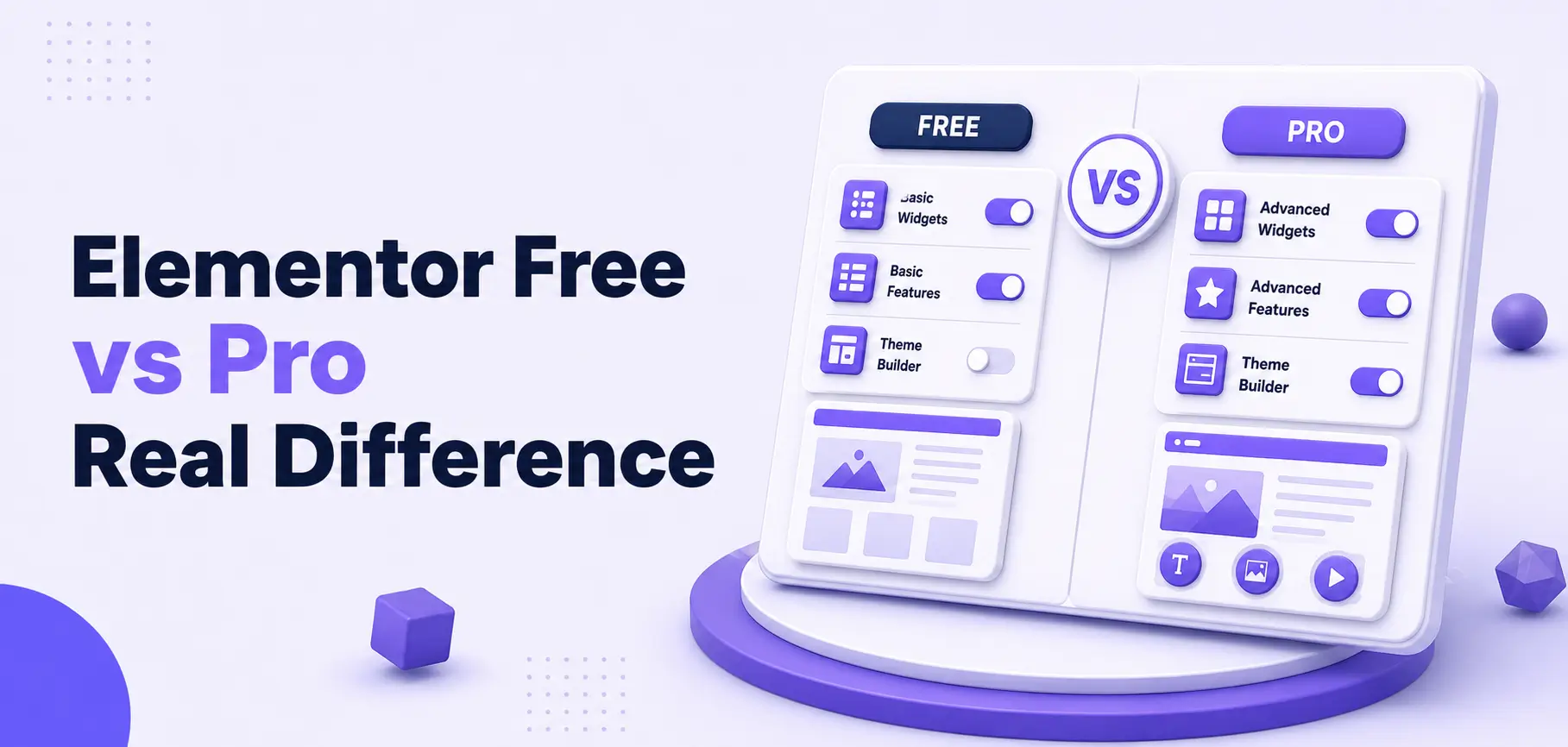
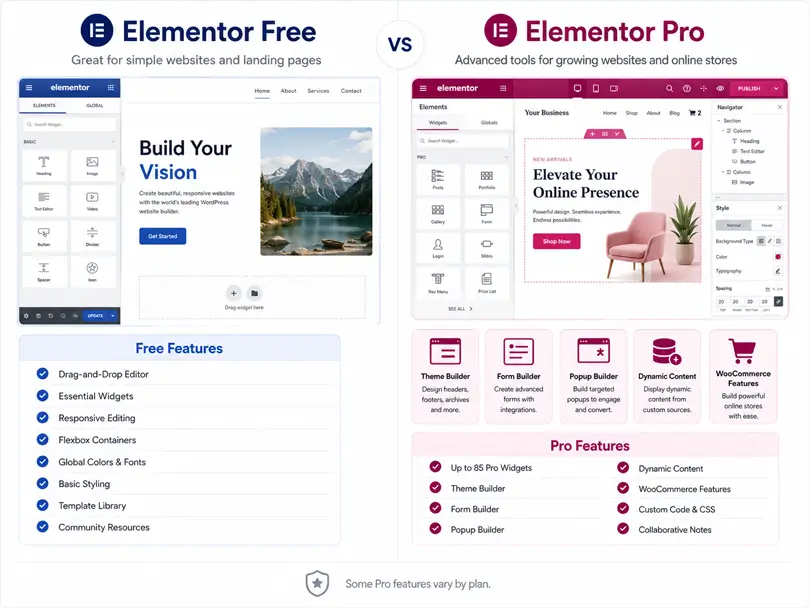
Elementor Free gives you a solid drag-and-drop page editor with 32 core widgets. Elementor Pro unlocks 86+ additional widgets, a full Theme Builder, Popup Builder, Form Builder, WooCommerce Builder, and dynamic content — starting at $59/year. The upgrade is worth it if you need full site design control or run a business website. But if you use Elementor Free with a plugin like HT Mega, you can close a big part of that gap without paying for Pro at all.
If you’re building a WordPress website and using Elementor, you’ve probably hit this question at some point: Do I actually need Elementor Pro?
It’s a fair question. Elementor Free is already one of the most capable free page builders available. But Pro adds a whole layer of features that can genuinely change how your site functions. The tricky part is knowing which version fits your situation.
This guide breaks down every meaningful Elementor Free vs Elementor Pro in 2026 — widgets, pricing, Theme Builder, WooCommerce tools, dynamic content, and more. You’ll also learn how a free plugin called HT Mega can extend Elementor Free significantly, so you can decide what combination actually makes sense for your site.
Table of Contents
Elementor Free vs. Elementor Pro: At a Glance
Stat: As of July 2026, Elementor is used on 31.3% of all WordPress websites and powers approximately 13% of the entire internet — making it the dominant page builder by a wide margin. (Source: W3Techs, July 2026)
Here’s the high-level comparison before we get into specifics:
| Feature | Elementor Free | Elementor Pro |
|---|---|---|
| Widgets | 32 core widgets | 32 core + 85 Pro widgets (118+ total) |
| Theme Builder | ❌ Not included | ✅ Full control (header, footer, archives) |
| Popup Builder | ❌ Not included | ✅ Full visual popup builder |
| Form Builder | ❌ Not included | ✅ Multi-step forms + CRM integrations |
| WooCommerce Builder | ❌ Not included | ✅ Full product/checkout page design |
| Dynamic Content | ❌ Static only | ✅ Pulls from ACF, custom fields, CPTs |
| Custom CSS per widget | ❌ Not included | ✅ Advanced Solo and above |
| Support | Community forums | 24/7 ticket support |
| Starting Price | Free | $60/year (Essential, 1 site) |
The gap isn’t just about extra widgets. It’s about whether you can control the full structure of your website — or just the content area inside it.
What Elementor Free Actually Gives You
Elementor Free is not a stripped-down demo. It’s a genuinely capable tool for getting a website up and running.
With the free version, you get:
- A full visual drag-and-drop editor (the same interface Pro users have)
- 32 core widgets including Text, Image, Button, Heading, Video, and Google Maps
- Flexbox container system for responsive layouts without touching CSS
- Mobile responsiveness controls
- Basic styling: margins, padding, fonts, colors, backgrounds
- Access to some free templates
You can build clean landing pages, portfolio pages, simple business pages, and basic blogs entirely with the free version. If your needs are straightforward, it gets the job done.
The limitation is scope. You control the content area of individual pages. Your WordPress theme controls everything else — your header, footer, archive pages, sidebar, 404 page. If you want to change how your blog archive looks, or redesign your site’s navigation, the free version simply cannot do that.
What Elementor Pro Adds — And Why It Matters
1. Theme Builder: Design Your Entire Site
This is the single biggest reason most people upgrade. The Elementor Pro Theme Builder lets you design every structural part of your website visually:
- Custom headers and footers — Build sticky navigation bars, transparent hero headers, complex footers with newsletter signups
- Single post templates — Design one layout; every new blog post automatically uses it
- Archive pages — Replace the default category list with a custom grid layout
- Custom 404 page — Build an error page that keeps visitors on your site instead of bouncing
- Conditional display — Show different headers during promotions or on specific pages
Without Theme Builder, your site’s structure depends entirely on your WordPress theme. You might spend hours trying to get a theme to look right through limited theme settings. With Theme Builder, you just design it.
2. Form Builder: Capture Leads Without Extra Plugins
Elementor Pro includes a built-in form widget that replaces standalone form plugins for most use cases:
- Text fields, dropdowns, file uploads, date pickers, multi-step forms
- Native integrations with Mailchimp, HubSpot, ActiveCampaign, ConvertKit, and more
- Webhook support for sending data to any external application
- Post-submit actions: redirect to a thank-you page, trigger a popup, or send an automated email
- Form submissions stored directly in your WordPress dashboard
If you’re running a contact form, lead capture page, or client intake form, this alone saves you paying for a separate form plugin subscription.
3. Popup Builder: Convert Visitors Without Third-Party Tools
Elementor Pro’s Popup Builder uses the same visual editor as your pages. You can:
- Design modal popups, slide-in banners, full-screen overlays, sticky headers
- Set display conditions (show on specific pages, after a time delay, on exit intent)
- Target specific user roles, devices, or traffic sources
- Trigger popups from buttons, links, or scroll depth
This replaces plugins like OptinMonster or Popup Maker for most users.
4. WooCommerce Builder: Full Control Over Your Store
If you run a WooCommerce store, the WooCommerce Builder is a game-changer.
By default, WooCommerce product pages, checkout pages, and cart pages are controlled by your theme with very limited visual customization. Pro lets you design all of them from scratch:
- Single product pages — Move the title, price, gallery, and add-to-cart button wherever you want
- Shop archive pages — Create custom product grids with hover effects
- Checkout page — Redesign the checkout flow to reduce cart abandonment
- Cart page — Brand the cart experience to match the rest of your site
- My Account page — Style the customer dashboard consistently
Example: A WooCommerce store selling handmade goods can use the Pro WooCommerce Builder to create a product page where the high-resolution images appear full-width on the left, the purchase CTA floats sticky on the right as users scroll, and trust badges and a tabbed FAQ section appear below the fold, all without a developer or custom PHP.
5. Dynamic Content: Data-Driven Pages at Scale
Pro connects to WordPress Custom Post Types (CPTs) and custom fields (ACF, Pods, Toolset). This means:
- A real estate site can have one template that auto-populates every listing with the right price, photos, and location
- A restaurant can manage a menu through a custom post type; the design never needs to change
- A directory site can display 500 entries all styled identically from one template
The free version has zero awareness of custom fields or dynamic data. If your project involves a large structured content database, Elementor Free is simply not an option.
6. Widget Library Expansion
Pro adds 86 additional widgets on top of the 32 in the free version. Some standouts:
- Posts grid, Posts carousel, Table of Contents
- Pricing Table with toggle
- Animated Headlines
- Reviews / Testimonial carousel
- Lottie Animation
- Nav Menu, Search, Share Buttons
- Countdown Timer, Progress Bars
- Stripe and PayPal buttons
Each Pro widget is built natively inside Elementor — no extra plugin to install or style separately.
Elementor Pro Pricing in 2026
Elementor Pro has several tiers. Here’s a clear breakdown:
| Plan | Price | Sites | Key Features Included |
|---|---|---|---|
| Essential | $59/year | 1 | 57 Pro widgets, Theme Builder, Popup Builder |
| Advanced Solo | $84/year | 1 | All 86 Pro widgets + WooCommerce Builder |
| Advanced | $99/year | 3 | Same as Advanced Solo, 3 sites |
| Expert | $199/year | 25 | Everything + agency features |
| Agency | $399/year | 1,000 | Everything + VIP support |
| Elementor One | $168/year | 1 | Advanced Solo features + AI credits, image optimization, accessibility tools |
Important: The Essential plan at $59/year does not include the WooCommerce Builder or the full widget set. If you run a WooCommerce store, you need Advanced Solo ($84/year) at minimum.
Elementor removed lifetime licenses in 2022. All plans require annual renewal.
The Hidden Middle Ground: HT Mega + Elementor Free
Here’s something most comparison articles skip entirely.
If you’re using Elementor Free, you don’t have to choose between staying limited or paying for Pro. There’s a third path: HT Mega, a free Elementor addon plugin that adds over 84 free widgets and powerful modules on top of what Elementor Free already provides.
Stat: HT Mega powers more than 80,000 websites and includes 135+ total widgets across the free and Pro versions combined. (Source: wphtmega.com)
What HT Mega Free Adds to Elementor Free
| Feature | Elementor Free | Elementor Pro | HT Mega Free (on top of Elementor Free) |
|---|---|---|---|
| Total widgets available | 32 | 118+ | 84+ free widgets added |
| Theme Builder | ❌ | ✅ | ✅ Free module included |
| Mega Menu Builder | ❌ | ❌ | ✅ Free module included |
| Pricing Table widget | ❌ | ✅ | ✅ Free |
| Testimonial Grid | ❌ | ✅ | ✅ Free |
| Post Grid / Post Carousel | ❌ | ✅ | ✅ Free |
| Vertical Timeline | ❌ | ✅ | ✅ Free |
| Sales Notification | ❌ | ❌ | ✅ Free module |
| Reading Progress Bar | ❌ | ❌ | ✅ Free module |
| Scroll To Top | ❌ | ❌ | ✅ Free module |
| Floating Effects | ❌ | ✅ | ✅ Free module |
| Post Duplicator | ❌ | ❌ | ✅ Free module |
| AI Writer (GPT-4, Claude, Gemini) | ❌ | ❌ | ✅ Free module |
| CF7, WPForms, Gravity Forms integrations | ❌ | ❌ | ✅ Free (all 7 form integrations) |
| 370+ ready-made page templates | ❌ | ✅ (limited) | ✅ Free |
| WooCommerce widgets (Add to Cart, Categories) | ❌ | ✅ | ✅ Free |
The combination of Elementor Free + HT Mega Free gives you:
- A working Theme Builder to design headers and footers visually
- A Mega Menu builder out of the box
- Over 84 additional widgets covering most common design needs
- All major form plugin integrations at no cost
- WooCommerce widgets for basic store pages
- 370+ page templates to start from
That’s a significant upgrade without touching your budget.
Where HT Mega Pro Adds More
HT Mega Pro (starting at $49/year for one site) unlocks even more functionality:
- Advanced Sticky — Stick any element or section as users scroll
- Conditional Display — Show/hide content based on user role, device, login status, date, and more
- Custom CSS per widget — Apply custom CSS to individual elements without touching a theme file
- Parallax Effect — Add multi-layer parallax scrolling to sections
- Cross-Domain Copy Paste — Copy Elementor designs between different websites instantly
- Pro-only widgets: Lottie Animation, Event Calendar, Advanced Slider, Filterable Gallery, Video Gallery, Interactive Circle Infographic, Post Timeline, and more
HT Mega Pro pricing:
| Plan | Sites | Yearly | One-Time |
|---|---|---|---|
| Personal | 1 site | $49/yr | $99 |
| Developer | 5 sites | $79/yr | $149 |
| Growth | 999 sites | $99/yr | $199 |
Real-World Use Cases: Which Version Do You Actually Need?
Blogger or Personal Site
Use: Elementor Free + HT Mega Free
You don’t need Popup Builder or WooCommerce tools. HT Mega Free gives you a Theme Builder, post widgets, and a wide widget library for free. This combination handles most personal and hobby sites without any cost.
Relevant HT Mega widgets to explore: Post Grid, Vertical Timeline, Testimonial, Accordion, Custom Carousel
Small Business Website
Use: Elementor Free + HT Mega Free (basic) or Elementor Pro Essential (advanced)
For a basic service business website with a contact form, HT Mega Free’s form integrations (CF7, WPForms) handle lead capture. If you want a fully custom header, popup lead forms, and advanced design polish, Elementor Pro Essential ($59/year) or HT Mega Pro ($49/year) are both reasonable investments.
WooCommerce Store
Use: Elementor Pro Advanced Solo ($84/year) + HT Mega Free
For a serious WooCommerce store, you need Elementor Pro’s WooCommerce Builder for product pages and checkout customization. Pair it with HT Mega Free for additional widgets, the Mega Menu Builder for product navigation, and WooCommerce category and add-to-cart widgets at no extra cost.
Freelancer or Agency
Use: Elementor Pro Expert or Agency + HT Mega Developer or Growth
You need multi-site licenses, Theme Builder, full widget access, and the ability to replicate designs across projects. HT Mega’s Cross-Domain Copy Paste (Pro feature) is genuinely useful here — design a widget or section on one site and paste it on another in seconds.
When Elementor Free Is Enough
Stick with Elementor Free if:
- You’re building a personal blog or portfolio with no complex functionality needs
- You’re learning Elementor before committing to a paid plan
- You already have paid plugins for forms, popups, and sliders you prefer to keep
- Your WordPress theme handles the header and footer well enough
- Your budget is zero and you’re comfortable with some CSS workarounds
When You Should Upgrade
Upgrade to Elementor Pro if:
- You want full visual control over every part of your site — header, footer, 404, archives.
- You need advanced lead capture with multi-step forms and CRM integrations.
- You run or plan to run a WooCommerce store with custom product and checkout pages.
- You’re managing dynamic content with Custom Post Types and custom fields.
- You want to eliminate 5–10 extra plugins and keep everything in one codebase.
- You’re building for clients and need consistent, professional design handoffs.
Upgrade to or add HT Mega if:
- You want to extend Elementor Free with more widgets and the Theme Builder at zero cost.
- You need a Mega Menu Builder that Elementor Pro doesn’t even include.
- You want Advanced Sticky, Conditional Display, or Custom CSS per widget affordably.
- You want a massive widget library alongside either Elementor Free or Pro.
Quick Comparison Summary
| Situation | Recommended Setup |
|---|---|
| Personal blog/hobby site | Elementor Free + HT Mega Free |
| Basic small business site | Elementor Free + HT Mega Free |
| Business site needing popups | Elementor Pro Essential or HT Mega Pro |
| WooCommerce store | Elementor Pro Advanced Solo + HT Mega Free |
| Freelancer (multiple client sites) | Elementor Pro Advanced/Expert + HT Mega Developer |
| Agency (many sites) | Elementor Pro Agency + HT Mega Growth |
Frequently Asked Questions
Q: What is the main difference between Elementor Free and Elementor Pro?
Elementor Free is a page editor, you control the design of individual pages inside the content area. Elementor Pro is a full site builder. It adds Theme Builder (for headers, footers, and archive pages), Popup Builder, Form Builder, WooCommerce Builder, dynamic content support, and 86 additional widgets. The core drag-and-drop editor interface is the same in both versions.
Q: Is Elementor Pro worth it in 2026?
It depends on your use case. For a WooCommerce store, a professional business site, or a multi-page project needing full design control, Elementor Pro is worth the cost, especially when it replaces multiple paid plugins. For a simple blog or personal site, Elementor Free combined with a free addon like HT Mega often provides enough functionality without paying for Pro.
Q: Can I use Elementor Free with a free addon to avoid buying Elementor Pro?
Yes, for many use cases. HT Mega Free adds 84+ widgets to Elementor Free, along with a Theme Builder, Mega Menu Builder, Reading Progress Bar, Scroll To Top, Floating Effects, Post Duplicator, AI Writer, and all major form plugin integrations (CF7, WPForms, Gravity Forms, and more), all at no cost. For most blogs, portfolios, and basic business sites, Elementor Free + HT Mega Free is a strong combination.
Q: Does Elementor Pro include WooCommerce tools in all plans?
No. The Essential plan ($59/year) does not include the WooCommerce Builder. You need the Advanced Solo plan ($84/year) or higher to access WooCommerce product page design, custom checkout, and cart page customization. If running a WooCommerce store is your goal, budget for Advanced Solo at minimum.
Q: What widgets does Elementor Free include?
Elementor Free includes 32 core widgets: Heading, Text Editor, Image, Video, Button, Divider, Spacer, Google Maps, Icon, Image Box, Icon Box, Star Rating, Text Path, Basic Gallery, Image Carousel, Icon List, Counter, Progress Bar, Testimonial, Tabs, Accordion, Toggle, Social Icons, Alert, Shortcode, HTML, Menu Anchor, Sidebar, Read More, Posts (basic), and a few additional layout elements.
Q: What happens to my website if I cancel Elementor Pro?
Your site will continue to display existing Pro widgets and templates on the frontend — nothing breaks visually for visitors. However, you’ll lose the ability to edit Pro widgets in the editor, access premium support, and receive feature updates. You’ll still be able to edit the page but won’t be able to add new Pro elements.
Q: Does HT Mega work with both Elementor Free and Elementor Pro?
Yes. HT Mega is a standalone Elementor addon that works alongside both Elementor Free and Elementor Pro. It adds its own widgets and modules on top of whatever version of Elementor you’re running. If you use it with Elementor Pro, you get both widget libraries combined — giving you one of the most comprehensive sets of Elementor widgets available.
Q: What is the cheapest way to get the Elementor Theme Builder?
You have two options. Elementor Pro Essential at $59/year includes Theme Builder. Alternatively, HT Mega Free includes its own Theme Builder module at no cost. HT Mega’s Theme Builder supports headers, footers, single post templates, archive templates, and more, making it a practical free alternative for many sites.
Conclusion
The real difference between Elementor Free and Elementor Pro comes down to one question: do you need to design your entire site, or just individual pages?
Elementor Free is a strong page editor. Elementor Pro turns it into a full site builder with marketing tools, WooCommerce tools, dynamic content, and a unified interface that replaces several other plugins.
But before you reach for your credit card, it’s worth knowing that Elementor Free + HT Mega Free gives you a surprisingly capable setup, including a Theme Builder, Mega Menu Builder, 84+ widgets, and all major form plugin integrations — completely free.
Start with Elementor Free and HT Mega Free. If you hit walls that those tools genuinely can’t solve, that’s the right moment to upgrade Elementor, add HT Mega Pro, or both.
👉 Explore HT Mega’s free widgets
👉 See the HT Mega Free vs. Pro comparison