

Quick Answer: News Ticker for Elementor is the best focused option for most users because it supports dynamic posts, custom messages, filtering, and pause controls. HT Mega is a strong free choice if you also need a wider Elementor widget library. Choose Ditty when you need RSS feeds, social content, or tickers that work across multiple page builders.
If you use Elementor and want to display breaking news, recent posts, announcements, or offers in a scrolling strip, you have two main choices: a native Elementor ticker widget or a general WordPress ticker plugin that works through shortcodes.
Native Elementor widgets are usually easier to design visually. Shortcode-based plugins often support more builders and content sources.
This guide compares six useful options and explains which plugin best suits different content, design, and maintenance requirements.
Table of Contents
What Is an Elementor News Ticker?
An Elementor news ticker is a moving or automatically updating strip that displays short pieces of content inside an Elementor page.
A ticker can display:
- Recent blog posts
- Breaking-news headlines
- Business announcements
- Promotional offers
- Event updates
- Custom messages
- RSS or external content where supported
Most news tickers appear near the top of a page and move horizontally through several items.
However, not every news ticker works in the same way.
Native Elementor widgets add a dedicated ticker element to the Elementor panel. You can drag the widget into a page and configure it visually.
Standalone WordPress plugins usually generate a shortcode or block that you insert into Elementor. These tools may offer more flexible content sources, but their setup is often less visual.
How We Selected These Plugins
We focused on plugins that are currently available, relevant to Elementor, and supported by official documentation or WordPress plugin listings.
The main evaluation criteria were:
- Elementor integration
- Content-source flexibility
- Post and category filtering
- Custom-message support
- Styling and animation controls
- Responsive behaviour
- Pause and accessibility options
- Maintenance status
- Free-plan usefulness
- Value of premium upgrades
Editorial Disclosure: HT Mega is developed by the team behind this blog. To keep this comparison fair and useful, we evaluated every plugin using the same criteria and relied on current official documentation, WordPress.org listings, and publicly available product information.
Quick Comparison
| Plugin | Integration | Free Version | Main Content Sources | Best For |
| HT Mega News Ticker | Native Elementor widget | Yes | WordPress posts | Existing HT Mega users |
| Move Addons News Ticker | Native Elementor widget | Yes | WordPress posts | Simple post tickers |
| News Ticker for Elementor | Dedicated Elementor widget | Yes | Posts and custom text | Advanced post filtering |
| Happy Addons News Ticker | Native Elementor widget | Yes | WordPress posts | Design-focused sites |
| Ditty | Shortcode and block | Yes | Posts, text, RSS and external sources | Multiple content sources |
| PJ News Ticker | Shortcode | Yes | Posts and custom text | Simple shortcode tickers |
Plugin features and availability may change. Check the current plugin information before installing or upgrading.
Best Elementor News Ticker Plugins
Keeping up with the latest news is crucial for staying informed in today’s age, and what better way to do so than with a dynamic news ticker? Elementor plugins offer many features that make it easy to create stunning layouts that capture your audience’s attention. Some of the best Elementor News Ticker Plugins are —
HT Mega
Best for: Elementor users who already use HT Mega or want a ticker inside a broader widget library.
Integration: Native Elementor widget
Free or paid: The News Ticker widget is available in the free HT Mega plugin.

HT Mega includes a native News Ticker widget alongside its wider collection of Elementor widgets and modules.
The widget is designed primarily for displaying recent post titles or important headlines in a scrolling strip. Because it appears directly inside the Elementor panel, you can configure its content and visual settings without working with shortcodes.
Available controls include label text, label icons, row height, animation direction, speed, duration, automatic playback, and pause-on-hover behaviour.
You can also style the ticker container, label, content, and navigation controls separately.
Key Features
- Native Elementor widget
- Post-based news headlines
- Label and icon controls
- Animation speed and direction settings
- Automatic playback
- Pause on hover
- Separate styling controls
Pros and Cons
Pros
- Available in the free HT Mega plugin
- Works directly inside the Elementor editor
- Useful when you need other HT Mega widgets
- Familiar Elementor-style controls
- No shortcode required
Cons
- Primarily designed for post-based headlines
- Advanced custom-content options are limited
- Does not provide native RSS or social-feed support
Verdict
HT Mega is a practical choice when you want a free ticker and also expect to use other Elementor widgets from the same addon.
It may be unnecessary if you only need one small ticker feature and do not plan to use the rest of the HT Mega toolkit.
Pricing: There are 2 different pricing One Year plans for HT Mega:
Yearly Plans:
- Personal Plan: $49/ Year
- Developer Plan: $79/ Year
- Growth Plan: $99/ Year
One-Time Plans:
- Personal Plan: $99 (One Time Fee)
- Developer Plan: $149 (One Time Fee)
- Growth Plan: $199 (One Time Fee)
Move Addons
Best for: Websites that already use Move Addons and need a straightforward post-based ticker.
Integration: Native Elementor widget
Free or paid: Included in the free Move Addons plugin.

Move Addons includes a News Ticker widget designed to display breaking-news headlines and important post titles.
After activating Move Addons, the ticker appears in the MOVE widget category inside Elementor. You can drag it into a page and configure the available content and design settings.
The widget is most suitable for users who already rely on Move Addons for other Elementor elements. Its public feature information focuses mainly on simple headline presentation rather than advanced queries or external content feeds.
Highlighted Features:
- 7 Styles
- Horizontal display
- Cross Browser Compatible
- Responsive
- Easy to use
Pros and Cons
Pros
- Convenient for existing Move Addons users
- No shortcode required
- Consistent design workflow with other Move widgets
Cons
- Limited public information about advanced filtering
- Custom-message support is not clearly explained
- Does not support RSS or multiple external sources
- Users should confirm current compatibility before using it on an important site
Verdict
Choose Move Addons when your website already uses its other widgets and you only need a simple post-headline ticker.
It is less suitable when you need advanced filters, manual messages, or external feeds.
Pricing: There are 2 different pricing Year Bundle plans for Move Addons:
Yearly Bundle plan:
- Personal Plan: $39/ Year
- Developer Plan: $89/ Year
- Agency Plan: $179/ Year
Lifetime Bundle plan:
- Personal Plan: $149/ Lifetime
- Developer Plan: $349/ Lifetime
- Agency Plan: $549/ Lifetime
Ditty News Ticker
Best for: Websites that need posts, custom text, RSS, social content, or other sources in one ticker system.
Integration: Standalone WordPress plugin using shortcodes and blocks
Free or paid: Free core plugin with paid extensions.

Ditty started as a basic news ticker but has developed into a broader content-display system.
It can display content as a ticker, list, or slider. The core plugin supports text, editor content, custom HTML, and WordPress post feeds.
Extensions can add other sources such as RSS feeds, social content, images, XML data, and more.
Unlike native Elementor widgets, Ditty is not tied to one page builder. You create the display in Ditty and then place it in Elementor using a shortcode or block.
This approach takes more time to configure, but it provides more flexibility across different builders and site areas.
Highlighted Features:
- Combine multiple contents
- Fully Customizable
- SEO friendly
- Numerous extensions
- Easy to use
Pros and Cons
Pros
- Supports more content sources than most Elementor widgets
- Works with Elementor and other WordPress builders
- Suitable for complex news portals
- Can combine multiple content types
- Continues to receive maintenance and security updates
Cons
- More complicated than a single Elementor widget
- Requires a separate configuration interface
- Advanced feeds and display types may require paid extensions
- May be excessive for a simple post ticker
Verdict
Ditty is the best choice when you need content from several sources or want to reuse the same ticker across different builders.
For a simple Elementor post ticker, a native widget will usually be easier to manage.
Pricing: There are 3 different pricing plans for Ditty News Ticker:
- Single Plan: $99/ Year
- Business Plan: $179/ Year
- Agency Plan: $299/ Year
Pojo News Ticker
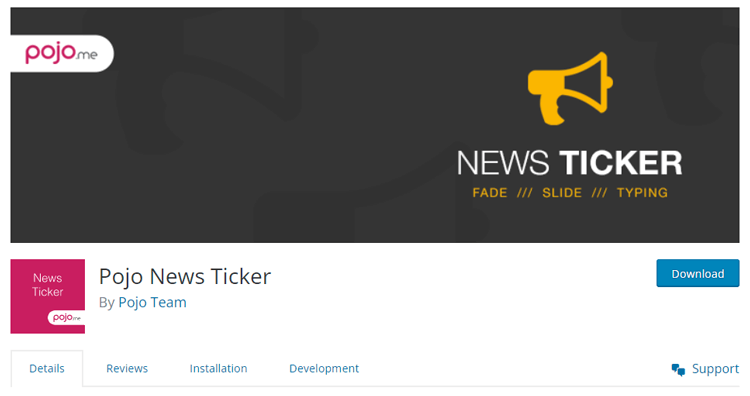
Pojo News Ticker is the perfect tool for any news website. It is incredibly user-friendly, simple to install, and compatible with other plugins. This plugin offers three different modes: slide, fade, and typing – allowing you to customize your news ticker to fit your website’s design style. Whatever type of headline you want to display, News Ticker makes it easy. No matter the theme and no matter the widget area, Pojo can instantly turn any page into an impressive and engaging news bulletin board.
Highlighted Features:
- 3 different modes slide
- Fully Customizable
- SEO friendly
- Menu Order
- Easy to use
News Ticker for Elementor
Best for: Users who need a dedicated Elementor ticker with strong post filters and custom-message controls.
Integration: Dedicated native Elementor widget
Free or paid: Free core plugin with additional premium features.
News Ticker for Elementor focuses specifically on creating tickers rather than providing a large collection of unrelated widgets.
The free version can display blog post titles and custom text messages. You can limit the number of posts, add links, control whether links open in a new tab, and adjust the ticker’s appearance.
More advanced options may include custom post types, taxonomy filters, ordering controls, and content exclusions, depending on the selected plan.
Playback controls are one of its main strengths. You can configure automatic movement, pause on hover, navigation buttons, and play or pause controls.
These options are useful for both usability and accessibility.
Highlighted Features:
- Dedicated Elementor News Ticker widget
- Recent-post display
- Custom text messages with links
- Post limits and filtering options
- Automatic playback
- Pause-on-hover controls
- Previous and next navigation
- Heading and ticker styling
Pros and Cons
Pros
- Focused specifically on news tickers
- Strong post-query controls
- Supports both posts and manual messages
- Clear playback and pause controls
- Suitable for news and magazine websites
Cons
- Advanced options may require the premium version
- Does not directly provide RSS or social-feed integration
- External sources require another plugin or custom solution
Verdict
News Ticker for Elementor is the strongest focused option for most Elementor users.
It is particularly suitable when you want to display filtered posts or custom messages without installing a large Elementor addon suite.
Pricing: There are 3 different pricing plans for News Ticker for Elementor:
- Single Site Plan: $12/ Year
- 1-5 Website Plan: $25/ Year
- Unlimited Website Plan: $40/ Year
PJ News Ticker
Best for: Basic shortcode-based tickers that display recent posts or one custom announcement.
Integration: Standalone shortcode plugin
Free or paid: Free
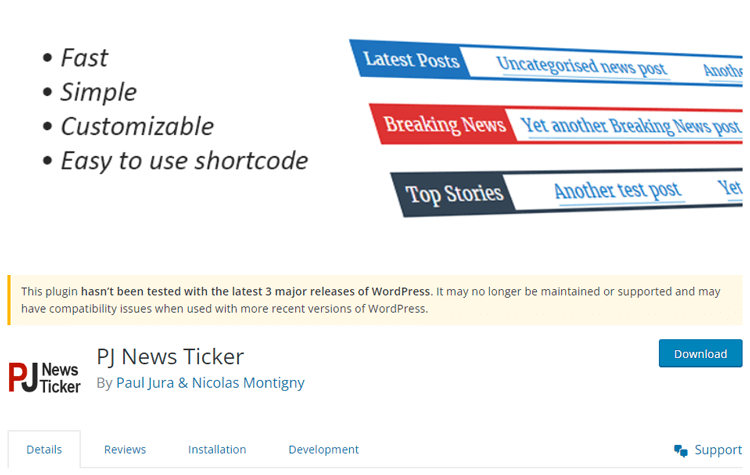
PJ News Ticker is a simple WordPress plugin that displays recent posts in a marquee-style strip.
You place the ticker using a shortcode, including inside Elementor’s Shortcode widget.
Shortcode attributes can control the number of posts, post type, category, label, colours, font size, speed, link target, and spacing between ticker cycles.
The plugin can also replace post headlines with custom text and a custom link.
However, its update history is older than the other options in this guide. Test it carefully with your current WordPress, PHP, theme, and Elementor versions before using it on an important website.
Key Features
- Shortcode-based ticker
- Recent-post display
- Post-type and category filters
- Custom label text
- Colour and speed controls
- Optional custom announcement text
- Custom links
Pros and Cons
Pros
- Simple to insert into Elementor
- Can display posts or custom text
- Does not require a large Elementor addon
- Suitable for basic announcement strips
Cons
- No native Elementor widget
- No RSS or social-feed support
- Older maintenance history
- Limited visual editing inside Elementor
- Requires careful compatibility testing
Verdict
PJ News Ticker is suitable for basic shortcode users who need a simple post or announcement strip.
Because of its older update history, it should not be the first choice for a new mission-critical website.
Which Elementor News Ticker Plugin Should You Choose?
Best Overall Elementor Ticker
Choose News Ticker for Elementor when you need filtered posts, custom messages, playback controls, and a focused plugin.
Best Free Option in an Addon Suite
Choose HT Mega News Ticker when you already use HT Mega or need other Elementor widgets alongside the ticker.
Best for Design-Focused Sites
Choose Happy Addons News Ticker when your website already uses Happy Addons templates and design widgets.
Best for Simple Post Headlines
Choose Move Addons News Ticker when you already use Move Addons and only need a basic post-based strip.
Best for RSS and Multiple Content Sources
Choose Ditty when you need to combine posts, RSS feeds, social content, custom text, or other external sources.
Best Shortcode-Based Option
Consider PJ News Ticker for a basic shortcode solution, but review its current compatibility and maintenance status before using it.
How to Choose the Right News Ticker Plugin
Before installing a plugin, consider what your ticker actually needs to display.
Elementor Widget or Shortcode
A native Elementor widget provides a more visual editing experience. You can drag the ticker into a page and adjust its settings from the Elementor panel.
A shortcode-based plugin is less visual but may work across multiple builders, widget areas, and theme templates.
Content Source
Decide whether your ticker will display:
- Recent posts
- Specific post categories
- Custom text messages
- Promotional offers
- RSS feeds
- Social content
- External data
A simple native widget may be enough for posts. Ditty is more suitable for multiple or external sources.
Post Filters
News and magazine sites often need category, taxonomy, post-type, or ordering controls.
Check whether those filters are included in the free version or require a paid plan.
Custom Announcements
If you want to display sales, maintenance alerts, event messages, or business notices, choose a plugin that supports manual text and custom links.
Responsive Design
A ticker that looks good on desktop may become difficult to read on mobile.
Check:
- Font size
- Label width
- Spacing
- Animation speed
- Navigation controls
- Text wrapping
- Mobile visibility
Pause Controls and Accessibility
Moving content should not force users to read at a fixed speed.
Prefer plugins that offer:
- Pause on hover
- Play and pause buttons
- Manual navigation
- Adjustable animation speed
Maintenance
Choose a plugin with recent updates, current compatibility information, and active support.
An older plugin may still work, but it requires more careful testing.
Free and Premium Features
Review which features are free before building the ticker.
Advanced filters, external feeds, custom post types, or additional layouts may require an upgrade.
Do News Ticker Plugins Affect Performance?
News tickers can affect performance because they add styling, scripts, animations, and sometimes external requests.
Possible performance costs include:
- JavaScript running continuously
- Extra CSS files
- Live content updates
- AJAX requests
- Remote RSS or social feeds
- Large addon suites installed for one widget
You can reduce the impact by:
- Limiting the number of ticker items
- Keeping ticker content text-based
- Avoiding large images
- Disabling unnecessary addon widgets
- Using caching
- Testing the page before and after installation
- Avoiding external feeds unless they are necessary
Do not assume a focused plugin is automatically faster. Test the actual page on both desktop and mobile.
Accessibility Considerations
Automatically moving content can be difficult for users with visual, cognitive, or motor impairments.
Users should have a way to pause, stop, or hide moving content when it continues for more than a few seconds alongside other page content.
Follow these practices:
- Enable pause on hover
- Provide visible play and pause controls where possible
- Use a comfortable scrolling speed
- Maintain strong text and background contrast
- Make ticker links accessible by keyboard
- Avoid flashing effects
- Do not place essential information only inside the ticker
- Provide important alerts in a static format as well
Accessibility should be considered during setup, not after the ticker has already been published.
Common News Ticker Mistakes
Avoid these common problems:
- Setting the ticker speed too fast
- Displaying too many headlines
- Showing outdated posts
- Using vague link text
- Ignoring mobile spacing
- Using poor colour contrast
- Hiding important information inside moving content
- Installing a large addon suite for one small feature
- Using external feeds without reviewing their content
- Publishing without testing pause and navigation controls
Frequently Asked Questions
Does Elementor include a news ticker widget?
No. Elementor Free and Elementor Pro do not include a dedicated news ticker widget by default. You need an Elementor addon or a standalone WordPress ticker plugin.
What is the best free news ticker plugin for Elementor?
HT Mega News Ticker and the free version of News Ticker for Elementor are strong native choices. HT Mega is useful when you need a wider widget library, while News Ticker for Elementor is more focused on ticker functionality.
Can I use a news ticker with Elementor Free?
Yes. Most plugins in this guide can work with Elementor Free. However, specific advanced filters, content sources, or design options may require a premium plugin plan.
Can a news ticker display recent posts automatically?
Yes. Most Elementor ticker plugins can automatically display recent WordPress posts. Some also let you filter posts by category, taxonomy, or post type.
Can I display custom announcements instead of posts?
Yes. News Ticker for Elementor, Ditty, and PJ News Ticker support custom text in different ways. This is useful for offers, maintenance notices, event announcements, or short alerts.
Can a news ticker display RSS feeds?
Ditty is the most suitable option in this comparison for RSS and other external sources. Its additional content-source features may require paid extensions.
Do news ticker plugins slow down WordPress?
They can add some performance overhead through scripts, animations, live updates, and external requests. The effect depends on the selected plugin and configuration.
Are scrolling news tickers accessible?
They can be more accessible when users can pause or stop the movement, navigate items manually, and read the content at a comfortable speed. Avoid using moving tickers as the only location for essential information.
Conclusion
Elementor does not include a built-in news ticker, so the right choice depends on the content you want to display and how you prefer to manage it.
For most Elementor users, News Ticker for Elementor provides the strongest balance of post filters, custom messages, and playback controls.
HT Mega News Ticker is a strong free option when you already use HT Mega or want additional Elementor widgets from the same plugin.
Choose Ditty when you need RSS feeds, social content, or reusable displays across different builders. Move Addons and Happy Addons make more sense for websites already using those ecosystems.
PJ News Ticker can still handle basic shortcode tickers, but its older update history means you should test it carefully before using it on an important website.
Whichever plugin you choose, confirm its current compatibility, keep the ticker readable on mobile, provide pause controls, and test its performance before using it across your entire site.